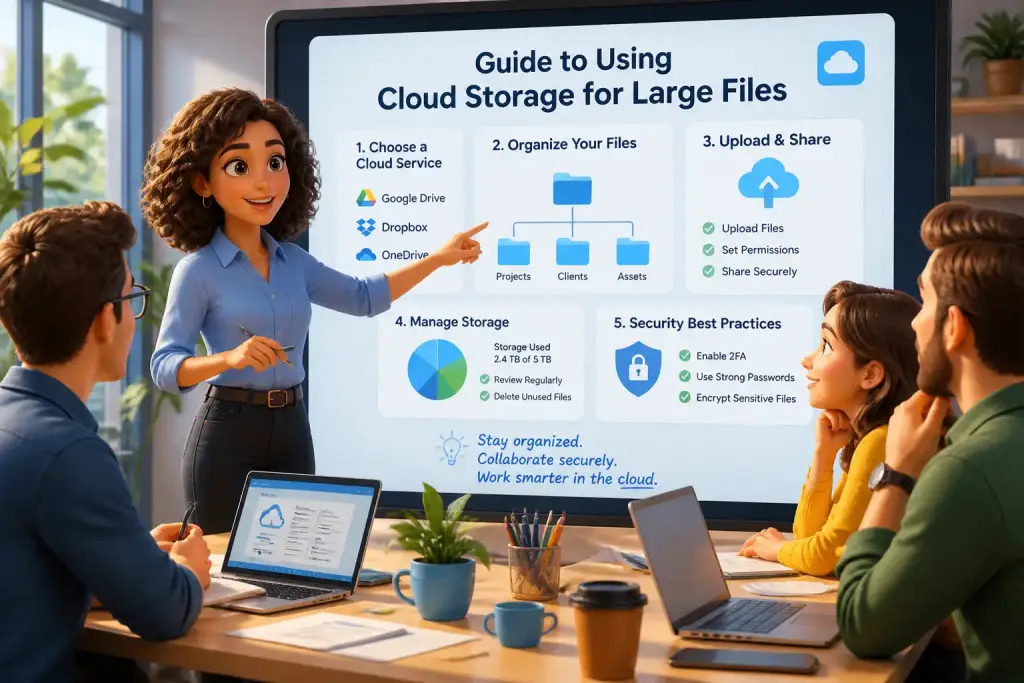










Archiving large files is essential in today’s digital environment. As more data is created, the need for effective file management increases. Proper archiving not only saves space but also simplifies future access to important information. Whether you are a professional managing extensive datasets or an individual looking to organize personal files, having a solid archiving system is crucial. This guide provides valuable tips for archiving large files efficiently, ensuring that your data is safe and easy to retrieve when needed.
- Choose the right storage method based on your needs.
- Regularly update your archiving strategy to include new technologies.
- Use compression tools to save space and maintain file integrity.
Table of Contents
Assessing Your Archiving Needs
First, evaluate the types of files you need to archive. Different files have varying requirements based on size, type, and frequency of access. For instance, company records, multimedia files, and personal documents all have unique characteristics that may influence your archiving strategy. Identifying the most critical files helps in determining the best storage method.
Consider how often you will access these files. Files that you need regularly may be better suited for immediate storage solutions, while those accessed less frequently can be archived in more cost-effective, long-term storage options. Additionally, think about the importance of the data. Sensitive information requires more secure storage solutions compared to non-sensitive files.
Also, analyze the volume of data. If you have vast amounts of data, it may be wise to segment files into categories. This segmentation allows for easier management and retrieval. For example, you could categorize files by year, project, or type. Keeping everything organized helps prevent confusion and ensures that you can locate files quickly when required.
Selecting the Right Storage Solutions
Choosing the correct storage solution is vital for effective archiving. Several options exist, each with its benefits and drawbacks. Cloud storage, external hard drives, and network-attached storage (NAS) are popular methods for archiving large files. Cloud services like Google Drive or Dropbox offer convenience and accessibility. They allow users to access files from anywhere with an internet connection.
On the other hand, external hard drives provide physical storage without relying on internet connectivity. They are often preferred for large volumes of data that do not require constant access. NAS devices offer a middle ground, providing remote access and shared storage for multiple users.
Comparing Storage Options
- Cloud Storage: Accessible from any device, secure, and often offers automated backups.
- External Hard Drives: Cost-effective for large amounts of data but requires physical handling and storage space.
- Network-Attached Storage: Great for teams, allows multiple users to access files, and provides easy backup solutions.
The choice ultimately depends on your specific needs. Consider factors like budget, accessibility, and security when making your decision. Each method has its place in an effective archiving strategy.
Implementing Compression Techniques
Compression plays a crucial role in archiving large files. By reducing file sizes, you can save storage space and improve transfer speeds. Various software tools are available for file compression, such as WinRAR or 7-Zip. These tools can significantly decrease the size of your files without losing any quality.
Utilizing compression can be particularly beneficial when archiving multimedia files. For instance, a video file can be dramatically reduced in size, making it easier to store and share. Additionally, compressing files allows for faster uploads and downloads, which is especially useful when dealing with large datasets.
Step-by-Step Compression Process
- Choose the files you want to compress.
- Right-click the selected files and choose your compression software.
- Select the compression level (higher levels offer more compression but take longer).
- Save the compressed file in your desired location.
Keeping a backup of the original files is always a good idea before compressing them. This ensures that you can recover the data if any issues arise during the compression process.
Consider maintaining a digital inventory of archived files to easily track their locations and access dates. This will help organize and manage your files effectively.
Establishing a Filing System
A well-organized filing system is vital for efficient archiving. Without a proper structure, retrieving files can become a frustrating experience. Start by creating a clear hierarchy for your files. Use folders and subfolders to categorize your archived data logically. This way, you can quickly find what you need.
Labeling files accurately is another essential step. Use descriptive names that include relevant details such as the date, project name, or content type. Avoid vague titles that do not provide enough context. For example, instead of naming a file “Document1,” consider using “2026-ProjectProposal-ClientX” to make it easily identifiable.
Organizing Your Files
- Use a consistent naming convention for all files.
- Create folders for each project or category.
- Regularly review and reorganize your filing system to keep it up to date.
Regular maintenance of your filing system is vital. Set aside time every few months to review archived files and remove any that are no longer needed. This practice keeps your storage organized and ensures that important files remain easily accessible.
Securing Archived Data
Data security is essential when archiving files. Protecting sensitive information from unauthorized access is essential. One effective method is to use encryption. Encrypting files ensures that only authorized users can access the data, even if someone gains physical access to the storage medium.
Consider using password protection for your archived files. This adds another layer of security, preventing unauthorized users from opening the files without the correct password. Many compression tools also offer built-in encryption options.
Steps to Encrypt Files
- Select the file or folder you want to encrypt.
- Open your compression software and choose the encryption option.
- Set a strong password that includes letters, numbers, and symbols.
- Save the encrypted file in a secure location.
Regularly update your passwords and encryption methods to keep your data protected. Security is an ongoing process that requires continuous attention.
Establishing a Backup Routine
Creating a regular backup routine is essential for safeguarding your archived files. Backups ensure that you do not lose important data due to hardware failure or accidental deletion. Set a schedule for backing up your files, whether daily, weekly, or monthly, depending on how often you update your archived data.
Utilizing multiple backup locations can enhance security. Consider maintaining a backup on an external hard drive and a cloud service. This way, if one storage method fails, you still have access to your files through another method. This dual approach helps protect against data loss.
Backup Strategy Steps
- Choose your primary storage method (cloud, external drive, or NAS).
- Determine how often you will back up your files.
- Set reminders to ensure you stick to your backup schedule.
- Test your backup regularly to ensure it works correctly.
Testing your backups is crucial. Occasionally check that you can access and restore files from your backup. This practice ensures that you are prepared in the event of data loss.
Staying Up-to-Date with Archiving Tools
Technology continues to evolve, and so do archiving tools. Keeping abreast of the latest software and methods is essential for efficient file management. Regularly research new tools that can improve your archiving process. Many companies release updates that enhance functionality, security, and user experience.
Participating in online forums or communities can provide valuable insights into the best archiving practices. Engaging with other professionals can help you discover new tools and strategies. Additionally, following tech blogs or newsletters can keep you informed about advancements in archiving technology.
Recommended Archiving Tools
- Cloud services like Google Drive for ease of access.
- Compression software like 7-Zip for efficient file size reduction.
- Backup solutions like Acronis for automated backup processes.
Investing time in learning about new tools can significantly improve your archiving efficiency. Adapting to new technologies allows you to maintain a competitive edge in data management.
By implementing these tips, archiving large files becomes a manageable task. Assessing your needs, selecting the right storage solutions, using compression techniques, establishing a filing system, securing data, creating a backup routine, and staying updated with current tools are all essential steps in effective archiving. These strategies will not only help you save time and space but also ensure that your valuable data is safe and easy to access in the future.