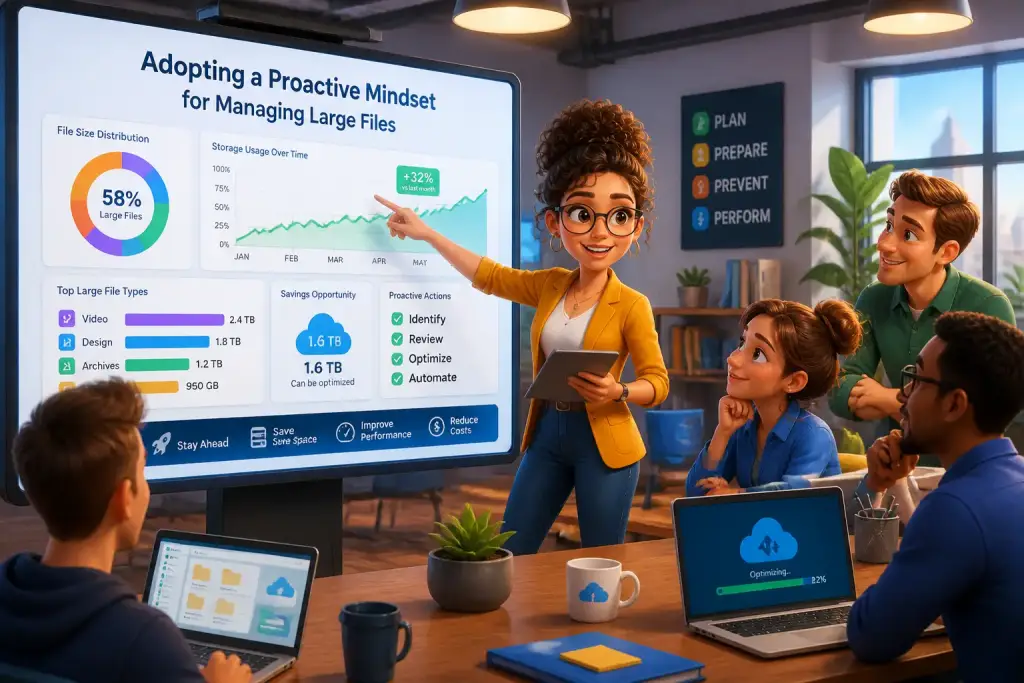










Managing large files effectively is a vital skill in today’s digital world. As teams grow and projects become more complex, the ability to handle significant amounts of data with confidence can make a substantial difference. Whether you are a student working on a big project, a professional handling extensive reports, or a team leader coordinating group tasks, mastering file management skills is essential. This article provides a comprehensive guide to building confidence in your file management abilities, ensuring you can handle large files with ease and efficiency.
- Understand the tools available for managing large files effectively.
- Develop clear organizational strategies to streamline file access.
- Learn best practices for collaborating on large files with your team.
Table of Contents
- Key Principles of the Importance of File Management
- Exploring File Management Tools
- Developing an Effective Organizational System
- Mastering Version Control for Large Files
- Enhancing Team Collaboration on Large Files
- Addressing Common Challenges in File Management
- Building Long-Term Confidence in Your Skills
Key Principles of the Importance of File Management
Effective file management is more than just storing documents on a computer. It involves organizing, sharing, and retrieving files in a way that maximizes productivity. When files are organized well, it saves time and reduces frustration, allowing teams to focus on their work rather than searching for lost documents. In addition, a well-structured file management system can enhance collaboration, as team members can easily access the files they need without delay.
In many workplaces, large files become a common hurdle. These files can be everything from graphics and videos to extensive reports and databases. Learning how to manage these files effectively can make or break a project. For instance, consider a graphic designer working on a marketing campaign. If their design files are disorganized, they may miss deadlines, affecting the entire team’s performance. Therefore, investing time in understanding file management can yield significant returns.
Modern tools for file management also play a crucial role. With cloud storage options and collaboration platforms, teams can work together more effectively than ever. Embracing these technologies can streamline processes and improve overall efficiency. Familiarizing yourself with the right tools is an essential first step toward becoming confident in managing large files.
Exploring File Management Tools
To build confidence in handling large files, it is essential to know the various tools available. Today, numerous software and platforms can help manage files efficiently. Cloud storage services like Google Drive, Dropbox, and OneDrive offer easy access and sharing options. These platforms allow multiple users to collaborate on documents in real time, which can significantly enhance teamwork.
Another important tool is file compression software. Programs like WinRAR and 7-Zip enable users to reduce file sizes, which is particularly useful when sharing large files via email or uploading them to websites. Understanding how to use these tools effectively will help you streamline your file management process and make it easier to share large files without sacrificing quality.
Popular File Management Tools
- Google Drive: An excellent tool for collaboration and storage, allowing users to share and edit documents in real time.
- Dropbox: Provides simple file sharing and syncing across devices, making it easy to access files anywhere.
- WinRAR: A compression tool that helps reduce file sizes for easier sharing.
- Microsoft OneDrive: Integrates with Microsoft Office applications, offering seamless file management for users of Microsoft products.
Choosing the right tools is essential, but knowing how to use them effectively is just as important. Take advantage of tutorials and resources available online to familiarize yourself with the features that can enhance your file management skills.
Developing an Effective Organizational System
Creating a structured approach to file management is crucial. An effective organizational system helps keep your files sorted and easy to find. Start by defining a consistent naming convention for your files. Use descriptive names that include dates and relevant keywords, making it easier to locate files later. For example, instead of naming a report “Report1,” consider a name like “Marketing_Report_Nov2026.” This approach gives context and makes searching for specific documents simpler.
Next, establish a logical folder structure on your computer or cloud storage. Organize files by project, department, or date, depending on what makes the most sense for your workflow. Consistency is key; ensure that everyone on your team follows the same organizational system to avoid confusion. For larger teams, consider creating a shared document that outlines the folder structure and naming conventions.
Steps for Creating an Organizational System
- Define a naming convention that includes relevant details.
- Create folders based on categories such as projects or departments.
- Implement a version control system to track changes to documents.
- Regularly review and update your organization system as needed.
Regularly reviewing your organizational system is essential to keep it effective. As projects evolve and teams change, your system may need adjustments. Staying proactive in maintaining your file organization will ensure you remain efficient and confident in your file management skills.
Regularly back up your files and maintain versions to prevent data loss and ensure easy retrieval when needed.
Mastering Version Control for Large Files
Version control is an important aspect of file management, especially when dealing with large files. This process helps track changes made to documents, allowing users to revert to previous versions if needed. Understanding how to manage versions of large files effectively will save time and reduce confusion among team members.
One of the simplest ways to implement version control is by saving files with version numbers in the file name. For example, a document might be saved as “ProjectPlan_V1,” “ProjectPlan_V2,” and so on. This method allows everyone to see which version is the latest, preventing the use of outdated files.
Many collaboration tools offer built-in version control features. For instance, Google Docs automatically saves revisions, allowing users to view and restore previous versions. Familiarizing yourself with these features can further enhance your file management skills.
Best Practices for Version Control
- Always save files with clear version numbers in the name.
- Use collaboration tools that offer automatic version tracking.
- Regularly review versions to ensure everyone is using the most current files.
Implementing these best practices will help you feel more confident in managing your files, knowing you can always retrieve the latest version when needed.
Enhancing Team Collaboration on Large Files
Collaboration is often vital when working with large files, especially in team environments. Effective communication and clear processes can greatly improve how teams interact with shared files. Start by establishing clear guidelines for how files should be shared and edited. This can include designating who is responsible for making changes and how team members should provide feedback.
Using collaborative tools can also enhance teamwork. Platforms like Slack and Microsoft Teams allow for real-time communication while working on files. These tools make it easier to discuss changes and track progress, ensuring everyone is on the same page. When teams communicate openly, it fosters a cooperative environment where ideas can flow freely.
Tips for Effective Team Collaboration
- Set clear expectations for file sharing and editing among team members.
- Utilize communication tools to stay connected while working on files.
- Encourage regular check-ins to discuss progress and address any issues.
Strong collaboration leads to better outcomes. When team members work together effectively, it enhances the overall quality of the project and builds confidence in everyone’s file management skills.
Addressing Common Challenges in File Management
While managing large files, various challenges can arise. Understanding these challenges and having strategies to overcome them is essential for building confidence. One common issue is file size limitations, which often occur when sending files via email. To address this, consider using file compression tools to reduce the size or utilize cloud storage for sharing documents.
Another challenge is the potential for data loss. Without proper backup solutions, files can be accidentally deleted or corrupted. Implementing a routine for backing up files is crucial. Regularly save files to multiple locations, such as external hard drives or cloud storage, to minimize the risk of losing valuable data.
Common File Management Challenges
- File size limitations for email attachments.
- Data loss due to accidental deletion or corruption.
- Confusion over file versions among team members.
By proactively addressing these challenges, you can strengthen your file management skills and increase your confidence in handling large files.
Building Long-Term Confidence in Your Skills
Confidence in managing large files does not happen overnight. It takes regular practice and a willingness to learn. Start by setting small, achievable goals for yourself. For example, commit to organizing your files each week or learning a new tool for managing large files. As you accomplish these goals, your confidence will naturally grow.
Seeking feedback from colleagues can also provide valuable insights into your file management practices. Ask for suggestions on improving organization or collaboration to enhance your skills further. Engaging with others can help you discover new techniques and strategies that you may not have considered.
Lastly, stay updated on the latest trends and technologies in file management. As tools evolve, so too should your skills. Participating in workshops, webinars, or online courses can help you stay informed and continue building confidence in your abilities.
By taking these steps, you can transform your approach to large file management, ensuring you are well-equipped to handle any challenge that comes your way.