








Organizing large files on your computer is essential for maintaining productivity and efficiency. With the increasing amount of data we generate and store, a chaotic file system can lead to frustration and wasted time. Proper organization not only helps you locate files quickly but also enhances your overall workflow. In this guide, we will explore best practices for organizing large files effectively, ensuring you can manage your digital space with ease.
- Create clearly labeled folders for different types of files to enhance searchability.
- Regularly remove unnecessary files to maintain a tidy digital space.
- Utilize cloud storage options for easy access and backup of large files.
Table of Contents
Create a Clear Folder Structure
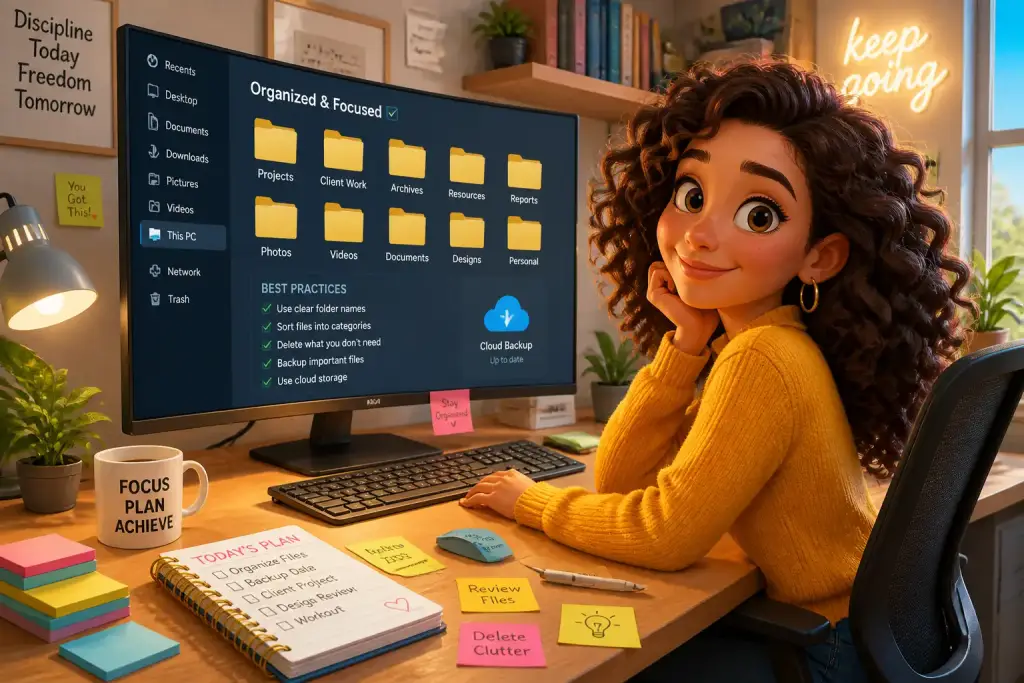
Establishing a logical folder structure is the foundation of effective file organization. Start by creating main folders for broad categories such as Work, Personal, and Projects. Inside each main folder, create subfolders to further categorize your files. For example, within the Work folder, you might have subfolders for different clients or projects. This hierarchical system allows for easy navigation, making it simple to locate specific files when needed.
Consider using a consistent naming convention for your folders and files. Use descriptive names that include dates or project titles to provide context. For example, instead of naming a file “Document1,” use “2026_Project_Proposal_ClientName.” This practice not only helps you find files faster but also ensures that others can easily understand your organization system if you share files or collaborate with others.
Incorporating color-coded folders can also make it easier to identify categories at a glance. Many operating systems allow you to customize folder colors, which adds a visual element to your organization. This simple change can speed up file retrieval and make your workspace more visually appealing.
Regularly review and update your folder structure to ensure it remains relevant. As your projects evolve, you may find that certain categories become outdated or that new categories need to be added. Keeping your folder structure flexible will help you adapt to changing needs.
Utilize File Management Tools
Modern file management tools can greatly enhance your ability to organize and manage large files. Applications like file explorers or cloud storage services often come with built-in tools that help you categorize, tag, and search for files efficiently. For instance, cloud services like Google Drive or Dropbox allow you to access files from different devices, ensuring you can work on the go.
File tagging is a powerful feature in many file management systems. By tagging files with keywords, you can create a virtual filing system that allows for rapid searching. For example, if you tag images with keywords like “vacation,” “family,” or “2026,” you can quickly find files related to those topics. This method is particularly useful for large collections of photos or documents that may not fit neatly into a single folder.
Consider using dedicated file management software that offers enhanced features for organizing large files. Programs such as Microsoft OneDrive or Box provide advanced options for syncing files across devices, sharing documents, and collaborating with team members. These tools often come with additional functionalities like version history and file recovery, which are invaluable when working with important documents.
Automation is another way to streamline your file organization. Many file management tools allow you to set rules for how files are sorted or organized based on specific criteria. For example, you can automate the process of moving files to designated folders based on their file type or creation date.
Regular Maintenance of Files
Maintaining your file organization system is just as important as setting it up. Regularly reviewing and cleaning out your files ensures that your digital space remains clutter-free. Schedule time each month or quarter to go through your files and remove anything that is no longer needed. This could include outdated documents, duplicate files, or items that have already been archived.
During this maintenance session, consider implementing a file archiving strategy. Move older files that you do not need immediate access to into an archive folder. This method minimizes clutter in your main folders, keeping your workspace tidy. You can also use cloud storage for archiving files, which provides an additional layer of backup while keeping your primary storage focused on current projects.
To removing unnecessary files, regularly updating your file organization system to reflect changes in your work or personal life is crucial. If you find yourself frequently searching for files that are hard to locate, it may be time to rethink your folder structure or naming conventions. Adaptability is key to maintaining an efficient file organization system.
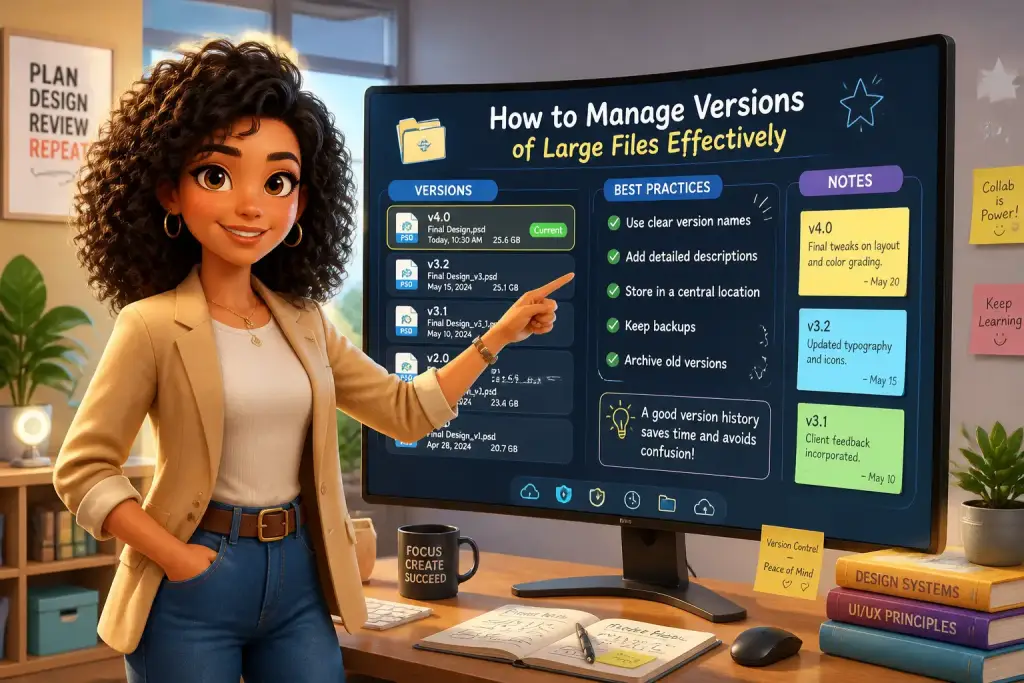
Keep an eye on file versions as well. When working on collaborative projects, it is easy to end up with multiple versions of the same document. Establish a clear protocol for naming and saving different versions to avoid confusion. For example, use a versioning system like “ProjectName_v1,” “ProjectName_v2,” etc., to easily track progress without losing earlier versions.
Regularly review your file organization system to adapt to changing needs and keep your workflow efficient.
Leverage Cloud Storage Options
Cloud storage solutions have transformed how we organize and manage large files. Services like Google Drive, OneDrive, and Dropbox allow users to store files online, making them accessible from any device with an internet connection. This flexibility is particularly beneficial for those who work remotely or need to share files with others.
Utilizing cloud storage for large files not only provides convenience but also enhances security through automatic backups. If your computer crashes or files are accidentally deleted, you can easily recover them from the cloud. Many cloud services offer additional features such as file sharing, collaboration tools, and integration with other applications, making them powerful allies in file organization.
When using cloud storage, consider setting up a clear folder structure similar to your local organization system. This consistency makes it easier to manage files across different platforms. Additionally, take advantage of sharing options to collaborate with others on projects. You can grant access to specific folders or files, allowing team members to view or edit documents as needed.
It is also important to choose a cloud storage service that fits your needs. Factors to consider include storage capacity, ease of use, security features, and integration with other tools you use. Many services offer free tiers with limited storage, allowing you to test them before committing to a paid plan.
Implement Naming Conventions
Consistent naming conventions are a vital aspect of organizing large files. A clear and logical naming system can save you valuable time when searching for or sorting files. Start by establishing a standard format for naming files consistently across your folders. This might include elements like the date, project name, and version number.
For example, a file could be named “2026-11-01_ProjectProposal_ClientName_v2.” This format provides immediate context about the file, making it easier to locate. Avoid using vague names that do not convey meaningful information. Instead, aim for descriptive names that make it clear what the file contains or its purpose.
Consider incorporating date formats that suit your needs. Some may prefer using the YYYY-MM-DD format for easy sorting, while others might choose a more casual approach. The key is to remain consistent throughout your file system. This practice not only aids in organization but also helps others understand your file structure when sharing documents.
To file names, consider creating a naming convention guide. This guide can be a simple document outlining your rules and examples. Sharing this guide with team members ensures everyone is on the same page, promoting consistency across collaborative projects.
Utilize Search Functions Effectively
Modern operating systems and file management tools come equipped with powerful search functions. Learning how to utilize these features effectively can save you time and frustration when looking for large files. Most file explorers allow you to search by file name, type, size, and date modified, making it easier to locate specific documents.
Familiarize yourself with the advanced search options available in your file management system. For example, you can use Boolean operators to refine your searches. Using terms like “AND,” “OR,” or “NOT” can narrow down results significantly. This technique is especially useful when dealing with large collections of files.
Another effective strategy is to use tags or keywords consistently across your files. If your file management system supports metadata, take advantage of it to add relevant keywords that describe the content of your files. This added layer of information can enhance searchability and help you find files with ease.
Regularly testing your search skills can also help improve efficiency. Try searching for specific files using different criteria to see which method yields the best results. Over time, you will develop a better understanding of how to navigate your file system quickly.
Maintain a Backup Strategy
Having a robust backup strategy is essential when organizing large files. While keeping files organized is important, ensuring those files are safe from loss is equally crucial. Regular backups protect against data loss due to hardware failure, accidental deletion, or other unforeseen issues. Implement a consistent backup routine that fits your needs.
Consider using a combination of local and cloud backups. Local backups involve copying files to an external hard drive or another physical storage device. This method provides quick access to files but can be at risk if the device is lost or damaged. Cloud backups, on the other hand, provide off-site storage, ensuring your files are safe even if something happens to your local device.
Automating your backup process can simplify this task significantly. Many cloud storage services offer automatic backup options that can be scheduled to run at regular intervals. This feature ensures that your files are continually backed up without requiring manual effort.
Finally, regularly test your backups to ensure they are functioning correctly. Occasionally restore files from your backups to confirm that they are accessible and intact. This practice helps you avoid potential surprises when you need to recover lost data.
Next Steps for Better Building a Sustainable File Management System
Creating an effective system for organizing large files is a continuous journey. By implementing a clear folder structure, utilizing file management tools, and maintaining regular file audits, you can establish a sustainable organization system. Adapting to changing needs and technologies will improve your efficiency and productivity over time. Embrace these best practices and watch as your digital workspace transforms into a well-organized hub of creativity and efficiency.