








In today’s fast-paced work environment, effectively reviewing large files is essential for team success. Large files can include anything from video projects and design assets to substantial documents and data sets. When a team collaborates on these files, having a well-defined process can make all the difference. Implementing best practices for reviewing large files not only streamlines workflows but also enhances communication among team members. Here, we explore strategies and tools that can improve the review process and lead to better results.
- Create a clear review process to enhance team efficiency and accountability.
- Use collaborative tools designed for large file management to streamline feedback.
- Regularly schedule review sessions to maintain consistent progress and communication.
Table of Contents
Establish a Clear Review Process
The foundation of any successful review is a clear process. Without well-defined steps, teams may struggle with confusion and miscommunication. Start by outlining the entire workflow for reviewing large files. This should include who is responsible for each stage, the deadlines, and the tools used in the process.
For instance, consider breaking down the review process into these steps:
- File Submission: Determine how team members will submit their files for review. This could be through a shared drive or a collaborative platform.
- Initial Review: Assign specific team members to conduct an initial review, focusing on key aspects such as content accuracy and adherence to project guidelines.
- Feedback Collection: Set a timeline for collecting feedback from all team members. Use tools that allow for easy commenting and suggestions.
- Final Revision: After gathering feedback, assign someone to make the necessary revisions before the final approval.
Documenting this process helps everyone know their responsibilities and deadlines. Consider using visual aids like flowcharts to make the steps more accessible, especially for new team members. A documented process also helps in maintaining consistency across different projects.
Utilize Collaborative Review Tools
Modern teams benefit significantly from collaborative tools specifically designed for reviewing large files. These tools facilitate real-time feedback, making it easier for team members to communicate their thoughts effectively. Today’s top options include platforms like Google Drive, Dropbox Paper, and Microsoft Teams. Each of these tools offers unique features that cater to different team needs.
For instance, Google Drive allows users to comment directly on documents, making it easy to reference specific sections. Dropbox Paper offers a more structured environment for discussions, combining text, images, and comments in one place. Microsoft Teams integrates communication and file sharing, allowing teams to discuss documents while reviewing them.
Choosing the Right Tool
When selecting a tool for reviewing large files, consider the following factors:
- File Size Limits: Ensure the tool can handle the size of your files without performance issues.
- User Accessibility: Choose a platform that is easy for all team members to use, reducing the learning curve.
- Integration Capabilities: Look for tools that can integrate with other software your team already uses, like project management tools.
By investing in the right collaborative tools, teams can enhance engagement and streamline the review process, making it more efficient and productive.
Schedule Regular Review Meetings
Holding regular review meetings can significantly improve team collaboration and ensure everyone is aligned. These meetings provide a dedicated time for discussing feedback, addressing concerns, and making decisions about the project’s direction. Regular check-ins also create accountability among team members, helping to maintain momentum.
When scheduling these meetings, consider the following:
- Frequency: Decide how often to meet based on project timelines. Weekly or bi-weekly meetings may be beneficial for ongoing projects.
- Duration: Keep meetings concise. Aim for 30 to 60 minutes to maintain focus and engagement.
- Aggenda Preparation: Send out an agenda before the meeting. This helps team members prepare their thoughts and ensures that important topics are covered.
During the meetings, encourage open discussion. Create a safe space where team members can voice their opinions and suggestions without fear of criticism. This fosters a collaborative atmosphere and often leads to more innovative solutions.
Implement Version Control
Managing versions of large files is a common challenge for teams. Without a solid version control system, team members may work on outdated files, leading to confusion and errors. Establishing a clear system for managing file versions is vital for preventing this issue.
Start by deciding on a naming convention for your files. For example, include the date and a brief description in the file name. This makes it easier to identify the most current version. Additionally, consider using version control software that tracks changes over time.
Steps for Effective Version Control
Here are some steps to implement a robust version control system:
- Establish Naming Conventions: Create a consistent format for naming files that includes dates and relevant keywords.
- Use Cloud Storage: Utilize cloud storage solutions that offer version history features. This allows you to revert to previous versions if needed.
- Communicate Changes: Ensure that all team members are informed when a new version is uploaded. This can be done through team collaboration tools or email notifications.
By maintaining a clear version control system, teams can ensure that everyone is working with the latest information, reducing errors and improving overall efficiency.
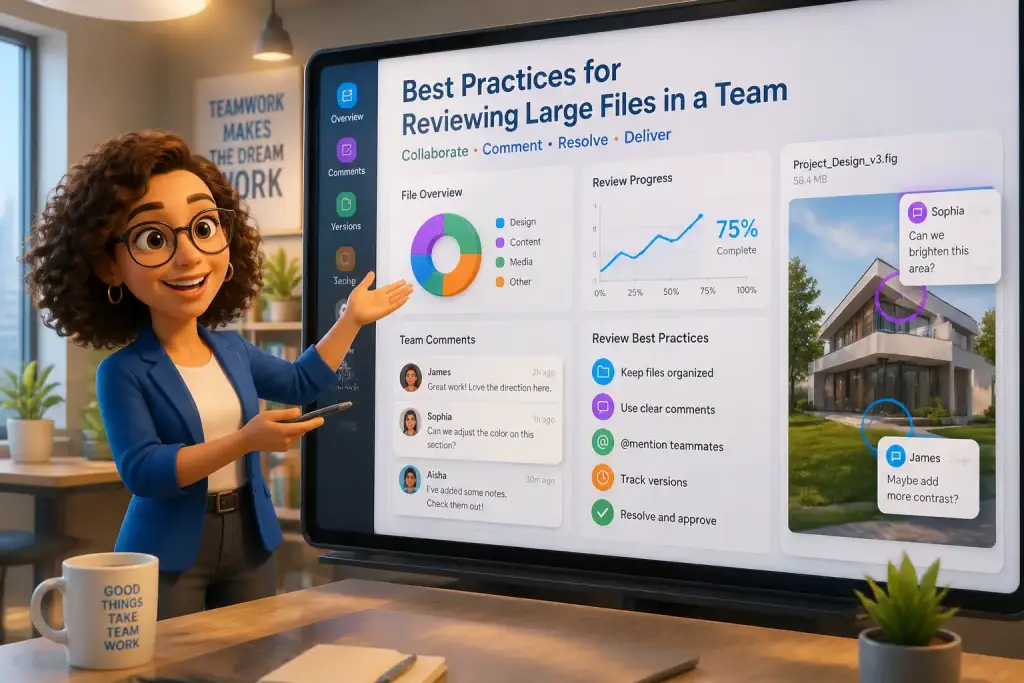
Encourage team members to provide feedback in real-time using collaborative tools to enhance engagement and ensure everyone is on the same page.
Encourage Constructive Feedback
Constructive feedback is essential for enhancing the quality of work within a team. Encouraging team members to provide thoughtful and specific feedback can lead to better outcomes and build a culture of continuous improvement. However, it is crucial to guide team members on how to give feedback effectively.
Start by offering training or resources on providing constructive feedback. Emphasize the importance of focusing on the work rather than the individual. For example, instead of saying, “This part is wrong,” encourage team members to phrase it as, “This part could be improved by…” This approach promotes a more positive and supportive environment.
Best Practices for Giving Feedback
Here are some best practices for giving constructive feedback:
- Be Specific: Provide clear examples of what works well and what needs improvement.
- Balance Positive and Negative: Always include positive feedback alongside areas for improvement to maintain morale.
- Encourage Questions: Allow team members to ask questions about the feedback to clarify understanding.
By encouraging constructive feedback, teams can enhance collaboration and ensure that all members feel valued and heard throughout the review process.
Building a culture of Collaboration
Building a culture of collaboration is key to successful file reviews in a team setting. This culture encourages open communication, trust, and respect among team members. When individuals feel comfortable sharing their ideas and feedback, the quality of the project improves significantly.
Start by promoting team-building activities that strengthen relationships. Activities can range from team lunches to collaborative workshops. These interactions help build camaraderie, making it easier for team members to communicate during file reviews.
Recognize and celebrate achievements, both big and small. Acknowledging hard work boosts morale and motivates team members to continue contributing their best efforts.
Lastly, ensure that leadership sets an example by embracing collaboration. When leaders model collaborative behavior, it encourages team members to follow suit, creating a more cohesive and productive environment.
Implementing these best practices for reviewing large files will help your team work more efficiently and effectively. By establishing a clear process, utilizing collaborative tools, scheduling regular meetings, managing versions carefully, encouraging constructive feedback, and building a culture of collaboration, teams can improve their outcomes and achieve greater success in their projects.