








Managing large files can be a challenge for many, especially when it comes to storage and sharing. As technology advances, the need for efficient file management increases. One effective way to handle large files is to compress them without losing quality. This process can save storage space, streamline sharing, and make files easier to manage. Understanding how to compress large files correctly can significantly enhance your workflow and productivity.
- Understand the different file formats and their compression capabilities.
- Use software tools that prioritize quality preservation during compression.
- Regularly back up files before compressing to avoid data loss.
Table of Contents
Essential Foundations of Compression Techniques for Large Files
Compression refers to the process of reducing the size of a file or a group of files. It is important to note that not all compression methods are equal. Some techniques might reduce file sizes significantly but at the cost of quality. There are two main types of compression: lossless and lossy. Lossless compression retains all the original data, allowing the file to be restored perfectly. Lossy compression, on the other hand, reduces file size by removing some data, which may affect quality.
Choosing the right method depends on your needs. For instance, if you are compressing images for a website, lossy formats like JPEG might be acceptable. However, if you are dealing with documents or high-definition videos, lossless compression is the better option. Popular formats for lossless compression include ZIP and RAR, while lossy formats include JPEG and MP3.
Using the correct software is equally important. Many applications offer intuitive interfaces that make it easy to compress files without sacrificing quality. Look for tools that provide options for different compression types and settings, allowing you to choose the best approach for your specific needs.
Step-by-Step Guide to Compress Files Without Quality Loss
Compressing files effectively requires a systematic approach. Follow these steps to ensure quality preservation while achieving the desired file size reduction.
Step 1: Choose the Right Software
Select software that specializes in file compression. Programs like WinRAR, 7-Zip, and PeaZip are popular choices that support various formats. These tools often provide features to optimize the balance between file size and quality. For instance, 7-Zip offers compression levels ranging from “store” to “ultra,” allowing you to adjust settings based on your needs.
Step 2: Analyze Your Files
Before compressing, take a moment to review your files. Identify the types of files you want to compress. For images, check their current resolution. For documents, ensure they are saved in formats that support lossless compression. This step can help you determine the best approach for each file type.
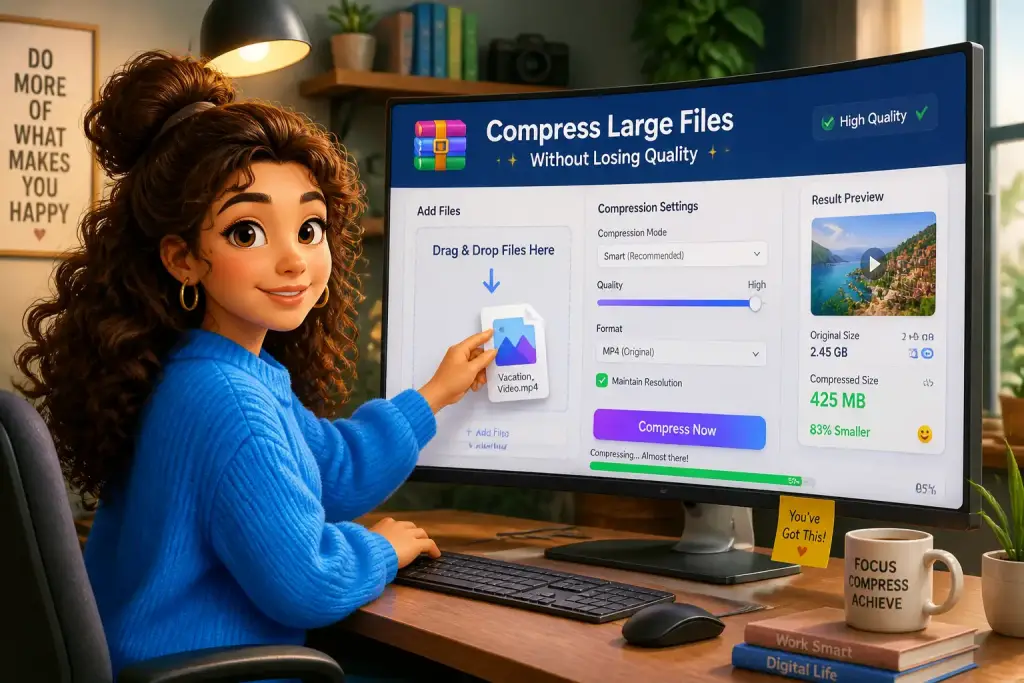
Step 3: Compress the Files
- Open your chosen compression software.
- Select the files or folders you want to compress.
- Choose the compression format. For lossless compression, opt for formats like ZIP or RAR.
- Adjust the compression settings if necessary. Some software allows you to select the quality level.
- Click “Compress” or “Create archive” to begin the process.
After compression, it is vital to check the quality of the files. Open the compressed files to ensure they meet your expectations. This step is essential, especially for images and videos, where quality changes can be noticeable.
Best Practices for Compressing Large Files
To achieve optimal results when compressing large files, consider these best practices. They can help you maintain quality while effectively managing file sizes.
- Backup Your Files: Always create backups before compressing files. This way, you protect your data in case something goes wrong during the compression process.
- Test Compression Settings: Experiment with different settings to find the best balance between file size and quality. Each file type may respond differently to compression.
- Keep Original Files: Retaining original files allows you to revert to them if needed. This is particularly useful for important documents or high-resolution images.
- Update Your Software: Regularly check for updates to your compression tools. New versions often include improved algorithms that enhance compression efficiency.
Implementing these best practices can make a significant difference in your file management strategy. It ensures that your compressed files remain functional and high quality.
Popular Tools for Compressing Large Files
Various tools are available, each with unique features that cater to different compression needs. Some tools focus on specific file types, while others offer broader capabilities. Here are some popular options:
- WinRAR: A well-known tool that supports multiple formats. It offers both lossless and lossy compression options.
- 7-Zip: An open-source software that provides high compression ratios and supports various file formats. It is particularly effective for large files.
- PeaZip: Another open-source option, PeaZip is user-friendly and supports numerous formats. It also provides encryption features for added security.
- Online Compressors: Websites like Smallpdf offer online compression services for PDF and image files. These tools are convenient for quick tasks without installing software.
Choosing the right tool depends on your specific needs and the types of files you work with. Test different options to find the one that best suits your workflow.
Always test your compressed files to ensure they maintain the desired quality before sharing or storing them long-term.
Maintaining Quality After Compression
After successfully compressing your files, the next step is ensuring that they maintain the desired quality. This is especially important when the files are intended for professional use or public distribution.
Start by reviewing the compressed files. Open images and videos in their respective viewers to check for clarity and detail. For documents, ensure that fonts and formatting have not changed. If any issues arise, consider adjusting your compression settings and trying again.
Sharing compressed files also requires attention. Use reliable file-sharing services that maintain file integrity during the upload and download processes. Some services might alter files, so always choose platforms known for preserving quality.
Finally, regularly revisit your compression process. As technology evolves, new tools and methods may emerge that offer better quality retention. Keeping up to date with these advancements can help enhance your file management strategies.