
.GEOJSON File Extension
There is only one filetype that uses .GEOJSON file extension and it is GeoJSON File.
GeoJSON File
| File category: | GIS Files |
|---|---|
| Developer: | Internet Engineering Task Force |
| Open with: | GDAL Library (+4 more) |
| Platforms: | Windows, macOS, In-browser (Online), Linux, iOS, Android, ChromeOS, iPadOS |
A GeoJSON file is a type of file that stores geospatial data using the GeoJSON format is based on JavaScript Object Notation (JSON). The "Geo" in GeoJSON stands for geography, while "JSON" refers to the data interchange format. GeoJSON is specifically designed for encoding a variety of geographical features such as points, lines, and polygons, representing items like roads, buildings, bodies of water, and points of interest. This makes GeoJSON a widely used format for mapping applications and geographic information systems.
GeoJSON was introduced as an open standard for representing geographic features, with its first specification released in 2008. However, the format was later refined by the Internet Engineering Task Force (IETF) in August 2016 under RFC 7946, which solidified it as a globally accepted format for geospatial data exchange. This update improved the original specification and is now widely supported by various mapping tools and GIS platforms.
GeoJSON files contain geometries such as points (for representing places), line strings (for roads, rivers, and boundaries), and polygons (for countries, lakes, or land regions). These geometric shapes, along with their non-spatial properties, are encoded in a structured JSON format. GeoJSON also supports collections of these features, allowing complex datasets to be organized into a single file.
Where GeoJSON is Used
Applications like Google Maps, Bing Maps, and OpenLayers use GeoJSON to display and interact with geographical data. Many GIS software packages, such as ESRI ArcGIS, FME Desktop, and open-source solutions like GeoDjango and PostGIS, support GeoJSON natively. GeoJSON files are also employed in a variety of fields, from urban planning and environmental monitoring to mobile navigation and real-time location tracking. For example, routing services use GeoJSON to represent road networks and service coverage areas.
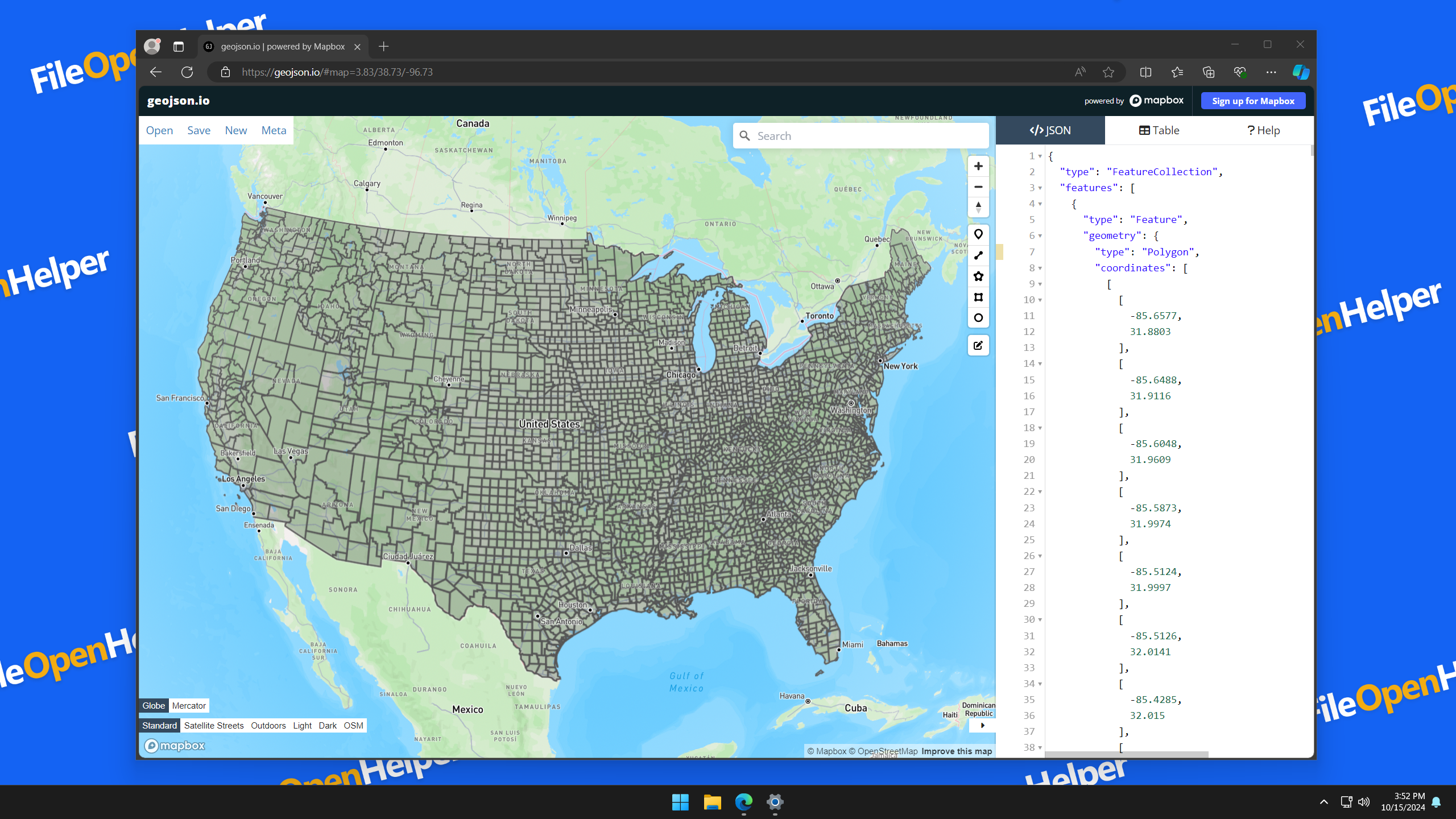
How to Open .GEOJSON as GeoJSON File
To open or view a GeoJSON file, users can utilize a range of GIS software, text editors, or web-based tools. Popular programs that support GeoJSON include:
- GIS software like ESRI ArcGIS, QGIS, and Google Earth
- Online tools like geojson.io or GitHub (which can render GeoJSON files directly)
- Text editors like Sublime Text, Apple Xcode, or even basic text editors, since GeoJSON is a text-based format
For users working with code, libraries in various programming languages such as Python, JavaScript, and Ruby also provide methods to read and process GeoJSON files. Moreover, it’s possible to view GeoJSON data in browsers using JavaScript libraries like Leaflet or Mapbox GL.
Applications That Open GEOJSON Files

Windows Apps for GEOJSON Files:
- GDAL Library Free
- ESRI ArcGIS Pro Free Trial
-
Any text editor
Free

macOS Apps for GEOJSON Files:
- GDAL Library Free
- Apple Xcode Free
-
Any text editor
Free

In-browser (Online) Apps for GEOJSON Files:
- geojson.io Free
Linux Apps for GEOJSON Files:
- GDAL Library Free
-
Any text editor
Free

iOS Apps for GEOJSON Files:
-
Any text editor
Free
Android Apps for GEOJSON Files:
-
Any text editor
Free
ChromeOS Apps for GEOJSON Files:
-
Any text editor
Free

iPadOS Apps for GEOJSON Files:
-
Any text editor
Free