
.BAT File Extension
There is only one filetype that uses .BAT file extension and it is Batch File.
Batch File
| File category: | Executable Files |
|---|---|
| Developer: | Microsoft |
| Open with: | WineHQ (+2 more) |
| Platforms: | Windows, macOS, Linux, iOS, Android, ChromeOS, iPadOS |
A BAT file, short for "batch", is a type of file used to execute a series of commands in the Windows Command Prompt (cmd.exe). The term "batch" refers to batch processing, which is the automation of repetitive tasks through non-interactive execution. This type of file contains plain text commands that the command-line interpreter processes sequentially to perform specific operations, such as starting programs, running system maintenance tasks, or executing utilities.
BAT files originated from DOS and were later supported by all versions of Windows. They have been around since the early days of MS-DOS in the 1980s, with their usage continuing into modern Windows operating systems via the Command Prompt. Initially, batch files were a primary tool for automating command-line operations in DOS, especially for tasks like optimizing system performance or setting up configurations. With the introduction of the Windows NT family, batch files remained relevant even as Windows evolved to a more graphical interface.
How .BAT Files Are Commonly Used
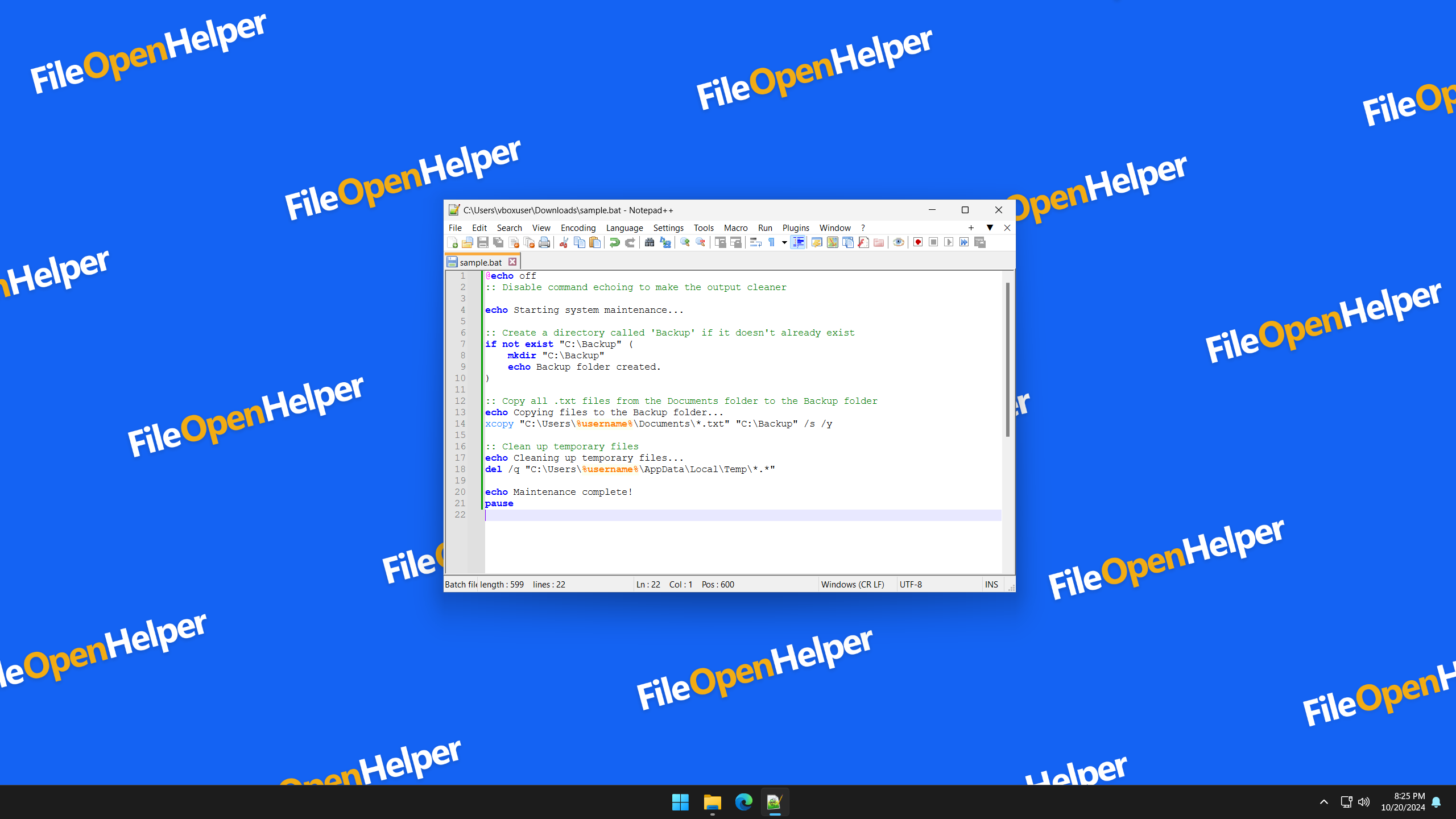
BAT files are widely used by advanced users and system administrators to simplify repetitive tasks. Users can create BAT files manually by typing commands into a text editor like Notepad and saving the file with a ".bat" extension. For instance, they can automate tasks such as system backups, file management, or network diagnostics. When the BAT file is executed, each command is processed line by line in the Command Prompt.
How to Open .BAT as Batch File
Since a BAT file is essentially a plain text file, it can be opened and viewed using any standard text editor such as Notepad. Users can inspect, modify, or create BAT files by typing out command sequences in the editor. To run the file, one simply needs to double-click it, which will trigger the Command Prompt to execute the commands listed within the file.
Additionally, if you are wary of a BAT file's origin, it's safer to open it with a text editor first to inspect its contents before execution, as BAT files can potentially be used to distribute malicious software.
Applications That Open BAT Files

Windows Apps for BAT Files:
-
Microsoft Windows Command Prompt
Included with OS -
Any text editor
Free

macOS Apps for BAT Files:
-
Any text editor
Free
Linux Apps for BAT Files:
- WineHQ Free
-
Any text editor
Free

iOS Apps for BAT Files:
-
Any text editor
Free
Android Apps for BAT Files:
- WineHQ Free
-
Any text editor
Free
ChromeOS Apps for BAT Files:
-
Any text editor
Free

iPadOS Apps for BAT Files:
-
Any text editor
Free